Seventh post in the HPE OpsRamp track. O-6 took metrics, logs, and traces apart individually. This post asks the next question: once all three exist, how do they get assembled into something a specific person actually looks at — and does OpsRamp draw a real line between what a NOC engineer sees and what an executive, or a different tenant’s client, sees?
Two questions, one post, because they’re related but not the same
“Dashboards” and “role-based views” get treated together here for a reason: a dashboard is only as useful as its ability to show the right things to the right person, and a role that can’t be scoped to specific dashboards or resources is only half of an access-control story. But they’re documented as genuinely separate subsystems — Dashboard 2.0 is a visualization feature; Roles, Permission Sets, and RBAC are an account-management feature that happens to apply to dashboards among other things. This post covers the consumption layer first, then the access-control layer that decides who gets to see (and edit) it.
Dashboard 2.0 vs. Classic: the platform is mid-migration
OpsRamp documents two dashboard generations, and the split matters because it tells you which one is worth building on:
- Classic Dashboard — pre-configured, largely static widgets with limited customization, not portable between dashboards or tenants, organized as a simple list.
- Dashboard 2.0 — the current generation. Customizable tiles powered by PromQL and OpsQL queries against your own metrics, logs, and resource data, with import/export, move, and copy support, and dashboards organized into collections for grouping related views. OpsRamp also ships curated dashboards for AWS, Azure, GCP, Kubernetes, and public cloud generally — read-only as shipped, but copyable, so you can clone one as a starting point rather than building a monitoring view for a hyperscaler from a blank canvas.
That query-language detail is worth pausing on. PromQL for metrics is the same query language a Prometheus/Grafana shop already knows, and O-6 already introduced MetricsQL as the ad-hoc query layer behind Metrics Explorer — Dashboard 2.0 tiles are how the results of those same kinds of queries get pinned to something people look at repeatedly, rather than run once and discard. OpsQL appears to be OpsRamp’s own query surface for resource, alert, and ticket data.
Tile types: the widget catalogue
Dashboard 2.0’s documented tile types map fairly directly onto the data sources this track has already covered:
| Tile type | What it visualizes |
|---|---|
| Metric Tile | PromQL-based metric queries — the direct consumer of the Metrics Explorer/MetricsQL layer from O-6 |
| Logs Tile | Log query results — the dashboard-facing counterpart to Logs Explorer |
| Alert Tile | Alert summaries and counts |
| Resource Tile | Resource/device-level status |
| Service Tile | Service-map or service-health data |
| Ticket Tile | Service desk ticket data |
| Schedule Tile | On-call or maintenance schedule information |
| NetFlows Tile | Network flow data |
| Embed Tile | Embedded external content |
| Text & Image | Static annotation, labels, branding |
| Dashboard Variables | Parameterize a dashboard so one layout can be reused across resources/environments by swapping a variable rather than duplicating tiles |
Underneath the tile types, chart rendering options are documented as Value, Line/Bar, Pie, Geomap, List, Honeycomb, and Gauge — a fairly conventional observability chart set, notable mainly for including a honeycomb view (common in the Prometheus/Grafana ecosystem for showing many resources’ health at a glance) and a geomap (useful for multi-site or multi-region estates, tying back to O-5’s hybrid-cloud discovery model).
Traces don’t get a named tile type in the documentation the way metrics and logs do. Trace/span data surfaces on a dashboard only indirectly (an Embed Tile pointed at Traces Explorer, or a metric derived from trace data) rather than through a first-class Trace Tile — if true, that continues the O-6 pattern of tracing being architecturally real but the least “baked in” of the three pillars at the consumption layer, not just the collection layer.
Dashboard visibility: Private, Shared, Public — and who can touch what
Dashboards themselves carry a visibility classification, separate from the tile content inside them:
- Private — visible/editable by the owner (and administrators).
- Shared — visible to a broader group, editable under narrower conditions.
- Public — the broadest visibility tier, including the curated cloud-provider dashboards mentioned above.
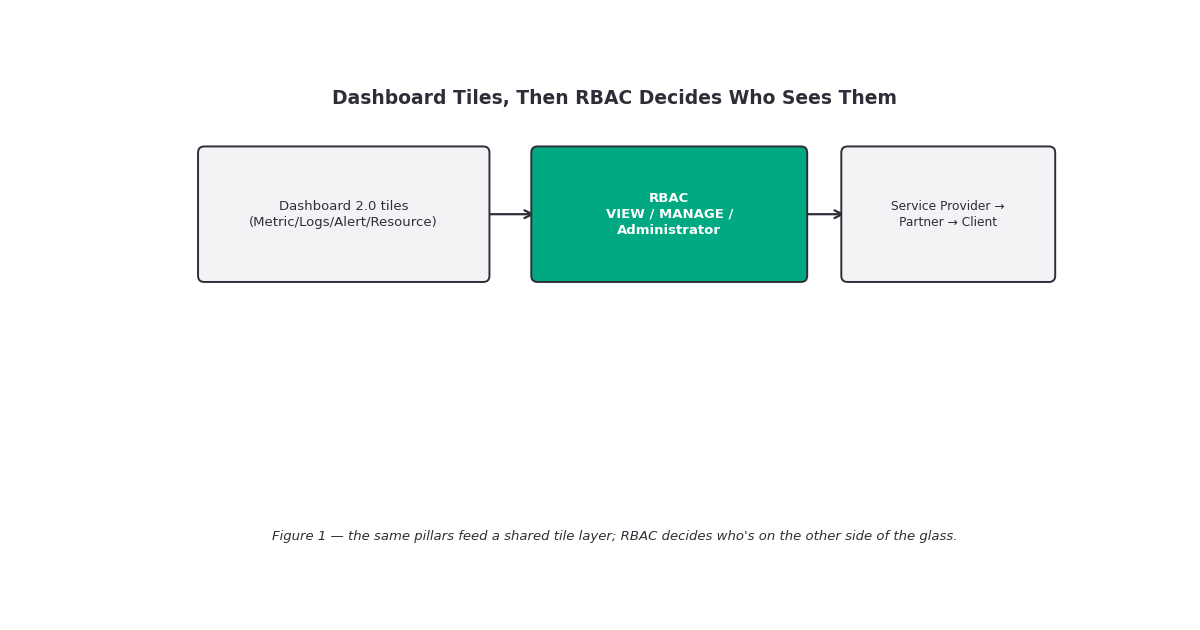
Dashboard-level RBAC is documented explicitly, and it’s more granular than a single “can view dashboards” toggle:
- A user with DASHBOARD_VIEW permission cannot edit any dashboard, regardless of its Private/Shared/Public classification.
- A user with DASHBOARD_MANAGE permission gets full edit rights on Private dashboards they interact with, but no edit rights on Shared or Public dashboards unless the Administrator role is also assigned.
- The Administrator role has edit access across all dashboard types.
That’s a meaningfully conservative default: giving someone “manage dashboards” doesn’t automatically let them modify a dashboard other people rely on. It also means the tile-level permissions layer beneath compound with this — creating a tile at all requires the base “Manage Dashboards” permission, and specific tile types carry their own prerequisite (a Resource Tile needs “View Devices” permission, an Alert Tile needs “View Alerts” permission, and so on per tile type). Put plainly: a role that can manage dashboards but lacks “View Alerts” can still build a dashboard — it just won’t be able to add an Alert Tile to it.
Roles and permission sets: the access-control layer underneath
Stepping back from dashboards specifically, OpsRamp’s broader access-control model is built from two documented pieces:
- Permission Sets — the prerequisite building block. A permission set is a collection of allowed operations across categories (Account Administration, Collectors, Remote Access, Integrations, Alerts, Reports, Tickets, Knowledge Base, Automation, Logs, Traces, Network) that can be assigned to a user or user group independent of their broader role, letting an administrator fine-tune one client’s access without redefining a role for everyone.
- Roles — a named bundle of permission sets and configuration, assigned to a user or user group. OpsRamp ships a built-in Administrator role with maximum privileges, and organizations define custom roles on top of that for other job functions.
The documentation also states that role and permission configuration can happen at multiple organizational tiers — Service Provider (SP), Partner, and Client — which matters for exactly the MSP scenario this platform is built around: a service provider managing multiple client tenants needs a role model that can say “this user manages dashboards for Client A” without that same user seeing Client B’s estate.
This is also where the documentation gets thin, in the same way O-5 found the public-cloud integration pages thinner than the gateway/agent pages. What’s confirmed: the SP/Partner/Client hierarchy exists as a role-and-permission-set configuration level. What’s not spelled out in the pages I could reach: the specific mechanics of how a client-level user’s dashboard and resource visibility gets isolated from another client in the same partner account — whether that’s enforced through the tenant boundary itself, through resource-group/site-scoped permission sets, or some combination. The exact isolation mechanism for MSP/multi-client visibility directly in your tenant’s Users and Permissions configuration before assuming a custom role scopes resource visibility the same way it scopes feature access.
Gotchas and caveats
“Manage Dashboards” doesn’t mean “can edit every dashboard.” DASHBOARD_MANAGE without the Administrator role only grants edit rights on dashboards the user owns privately — Shared and Public dashboards stay locked down. Don’t assume a broadly-permissioned role can fix a shared team dashboard without checking this split first.
Tile creation has per-tile-type prerequisites. A role can have full dashboard-management rights and still be unable to add specific tile types (Resource, Alert, and presumably others) without the matching view permission. If a dashboard build is silently missing a tile type, check the builder’s permission set before assuming a product bug.
Classic dashboards are the legacy path. New dashboard work should default to Dashboard 2.0 — it’s the one with PromQL/OpsQL, collections, and curated cloud dashboards; Classic is documented as the more limited, non-portable predecessor.
Traces don’t have a clearly documented first-class dashboard tile. If you’re building an incident dashboard that’s supposed to span all three O-6 pillars, confirm how (or whether) trace data actually surfaces there before assuming parity with the Metric and Logs tiles.
MSP-level client isolation mechanics aren’t fully documented publicly. As with O-5’s cloud-integration gap, this is a case where the architecture (SP/Partner/Client role tiers) is confirmed but the operational detail underneath it (exactly how client visibility is walled off) needs to be checked live in a tenant rather than assumed from documentation structure.
Key takeaways
- Dashboard 2.0 is the current generation — PromQL/OpsQL-powered, customizable tiles, collections, and copyable curated dashboards for major clouds and Kubernetes — superseding the static Classic Dashboard.
- The tile catalogue (Metric, Logs, Alert, Resource, Service, Ticket, Schedule, NetFlows, Embed, Text & Image, Dashboard Variables) gives metrics, logs, alerts, and resource data a shared consumption layer; traces lack an obviously named first-class tile
- Dashboard-level RBAC is genuinely granular: DASHBOARD_VIEW vs DASHBOARD_MANAGE vs Administrator, crossed with Private/Shared/Public dashboard classification, plus per-tile-type permission prerequisites.
- The broader access model is Permission Sets (fine-grained, assignable independent of role) combined into Roles, configurable at Service Provider, Partner, and Client tiers.
- MSP/multi-client visibility isolation mechanics aren’t spelled out in the reachable public documentation — confirm the actual scoping behavior in your tenant before designing a multi-client rollout around it.
What’s next
Next in this track: O-8 — Alerting and Alert-Noise Reduction. Dashboards are the pull-based, someone’s-looking-at-it view; alerting is the push-based side of the same data — what turns a metric, log, or trace signal into something that reaches a person, and how OpsRamp’s documented correlation and suppression features try to keep that from becoming noise.
Sources: OpsRamp Documentation · Dashboards · Dashboard 2.0 · Role-Based Access Control (RBAC) Support for Dashboard 2.0 · Classic Dashboard · Introduction to Widgets · Roles · Permission Sets · Users and Permissions · Users.
Pingback: Alerting and Alert-Noise Reduction – silverX.org